
Getscreen.me - A Free Desktop Remote Software To Control Your Computers From Anywhere
If you're looking for a way to remotely control your computers from anywhere in the world, desktop remote software is the perfect solution.
Getscreen.me
For anyone who needs to install software on computers remotely, you know how much of a hassle it can be. You need to get the machine up and running, figure out the login info and then get the software uploaded. It can take hours for something that should be a five-minute process.
The remote access market is a very crowded space. There are a lot of products out there that make different claims on what they can do. But sometimes the best product can be the simplest. This is certainly the case with Getscreen.me . It's a small, free service that has some great features and works well with little fuss.
A few restrictions that apply to free users can only be removed by paying. For instance, Wake-on-LAN is not supported, only two computers can be linked to your account at once, and file transfers are limited to 50 MB each. Windows, macOS, Linux, and Android are all supported. Controls can be sent from any device that has a web browser.
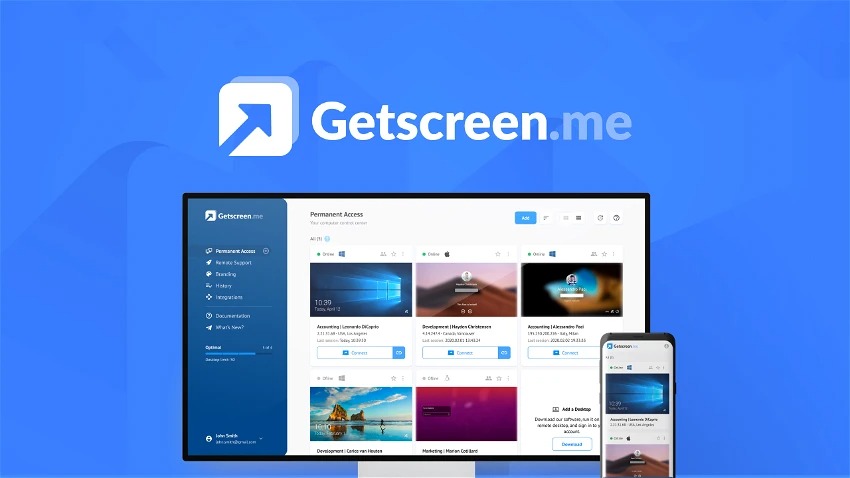
Getscreen.me enables you to quickly connect to a different desktop whether you're a system administrator, support professional, or regular user.
Conclusion
Desktop remote software is a great way to remotely control your computers from anywhere in the world. If you're looking for a reliable solution, I recommend trying out a few different options to see which one suits your needs the best.
Getscreen.me Lifetime Deal by AppSumo
The place to look for the best software deals available at any time is AppSumo. They have been succeeding at this for a very long time. Their selection of deals is unmatched, and they have an incredible selection of tools posted.
Grab this deal before its gone.
Get Getscreen.me - AppSumo Lifetime Deal
- Excellent for one-off sessions; setup takes only a minute.
- Send an invitation, and the connection will begin, so your clients won't have to worry about connection passwords.
- You can use it for permanent access
- Feature rich
- Wake-on-LAN, Wake-on-LAN enables a local computer to be activated by another computer over a network. (only avaible in the paid version)
- The free version has limited features.
- One invitation per day for client connections is the maximum in the free version.


